
Impact by Ten od AI® · Event hosting
Event break with a countdown and a question of the day
The screen shows when we are back and what comes after the break. A question of the day with live results waits on the phones.
Event hosting module
- time: 10–60 min
- who: the whole room
- where it runs: LED screen + phones
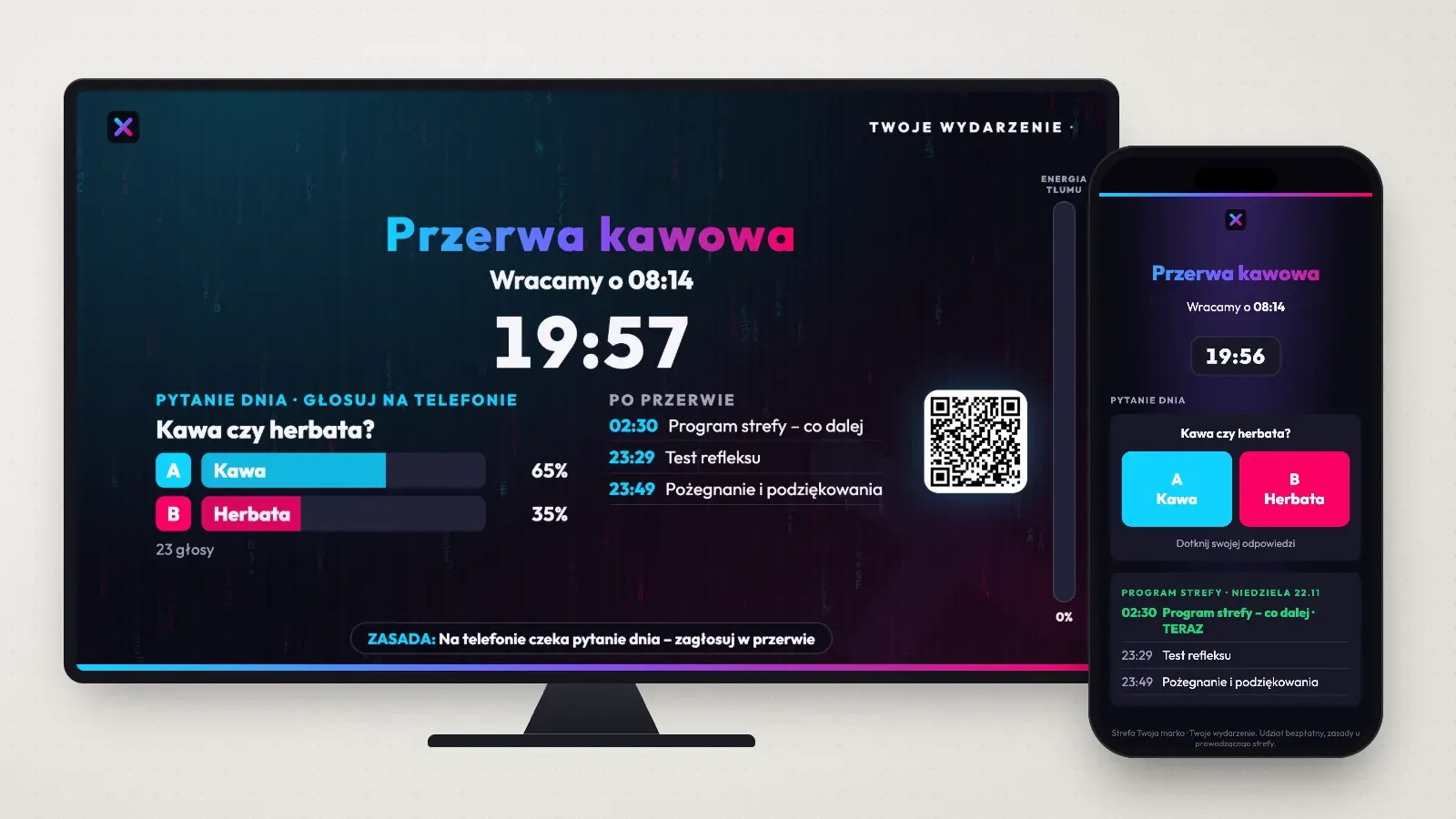
How Break with countdown and question of the day works
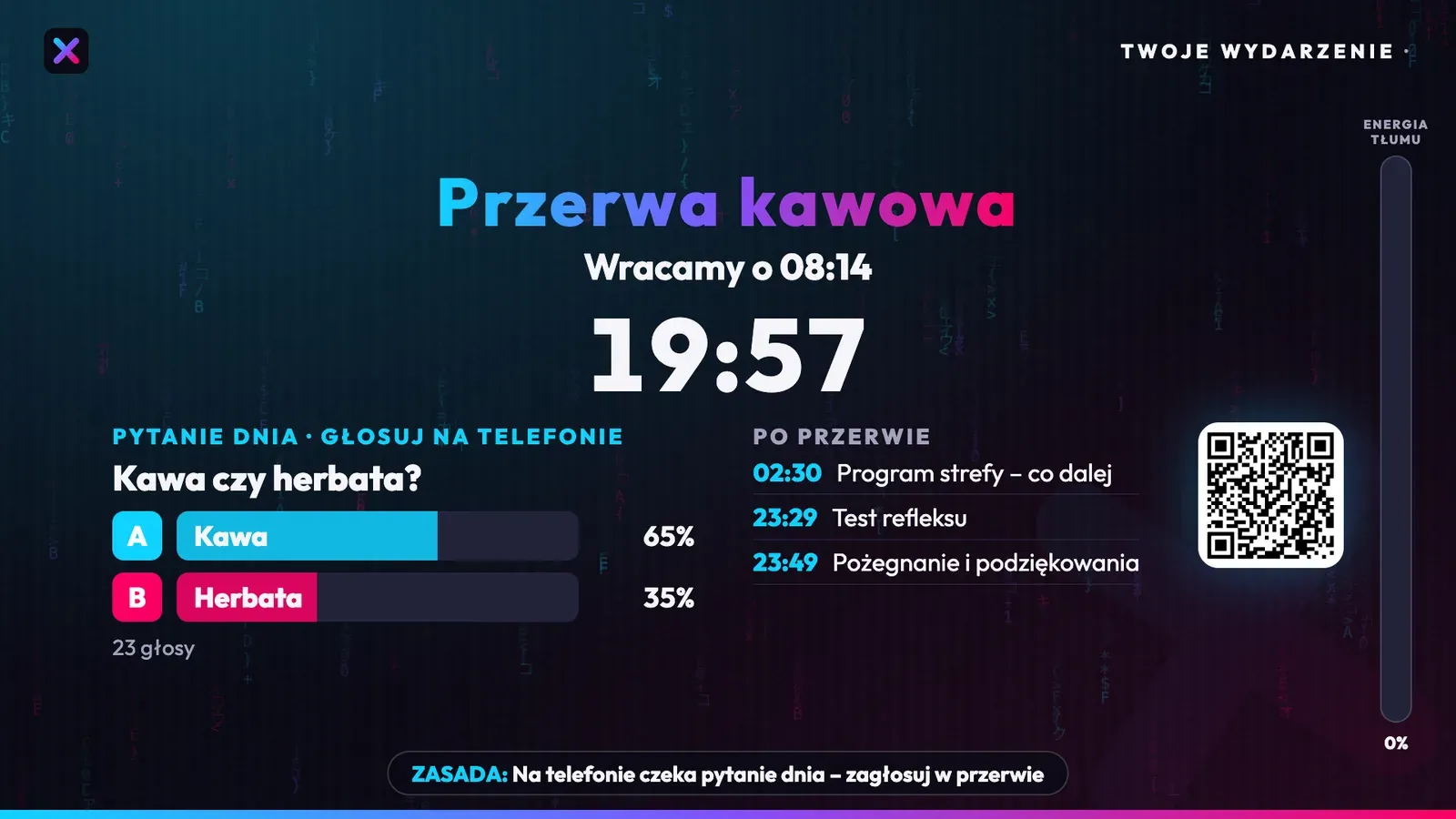
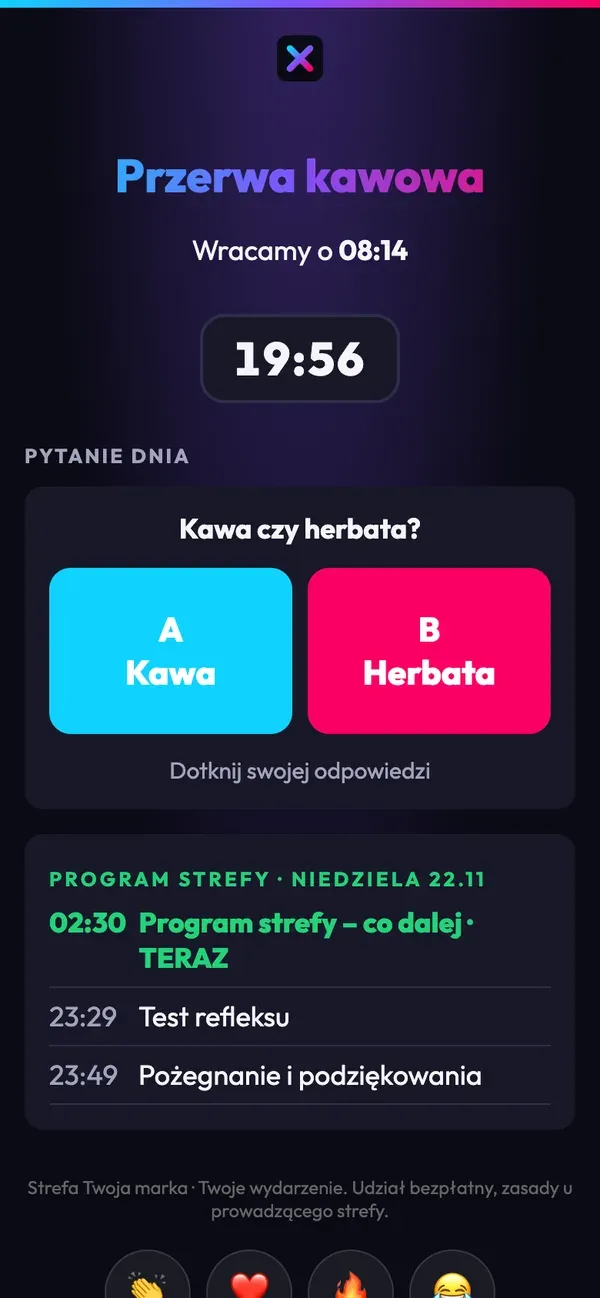
A coffee or lunch break does not throw the room off its rhythm. The LED screen shows “Back at…”, a big clock and the agenda after the break. A question of the day with two answers waits on guests’ phones, e.g. “Coffee or tea?”, and the result grows live on the screen. After the break the host reads out how the room voted and moves smoothly back into the programme.
Hosting modules are part of Impact. The host starts them with one click between games, and the host window suggests what to say.
How it works, step by step
The host enters the return time and, optionally, a question of the day.
The screen shows the clock, the return time and the agenda after the break.
Guests vote on their phones, and the result grows on the screen.
After the break the host reads out the result and returns to the programme.
Which events it suits
- Conference
- Trade show booth
- Corporate event or team building
We adapt names, texts and graphics to your brand.
Equipment and timing
- Time
- 10–60 min
- Who takes part
- the whole room
- Equipment
- LED screen, guests' phones, computer with the host's panel
- Type
- event hosting module
FAQ
- Is the question of the day required?
- No. The break screen can show just the clock and the agenda.
- How does the screen know what comes after the break?
- From the day’s agenda uploaded in the panel. The screen shows the next items after the return time on its own.
- Do we need to install anything?
- No. The screen runs in a web browser on the computer connected to the LED wall, and guests use the browser on their phones.
Other hosting modules
- 60-second fillerA quick A-or-B question for the whole room, no preparation needed. For a technical pause or a stage change.
- Partner slotA board with the partner slot name on the screen and a place in the day’s agenda.
- Organiser announcementA short message on the screen and on guests’ phones, e.g. “Cloakroom closes at 10 pm”.
Ask about this module
Tell me what kind of event it is, when and where it takes place and how many guests you expect. I will reply with how to use Break with countdown and question of the day at your event. Prefer to talk? Call: +48 535 515 100.