
Impact by Ten od AI® · Event hosting
Event agenda on the LED screen and on guests’ phones
What’s on now and what’s next: the day’s agenda on the LED screen and on every guest’s phone.
Event hosting module
- time: between games
- who: all guests
- where it runs: LED screen + phones
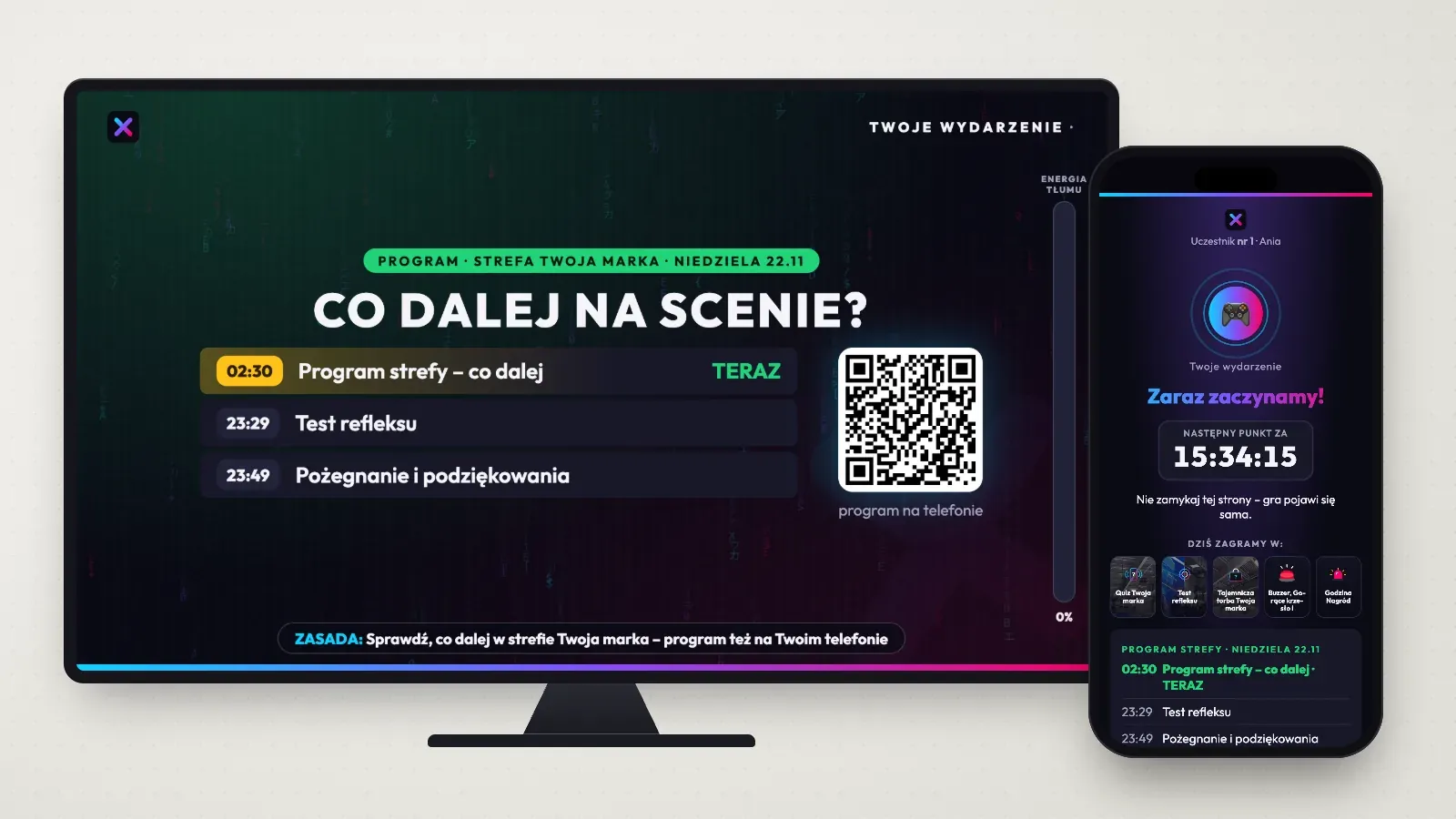
How Agenda on the screen and on phones works
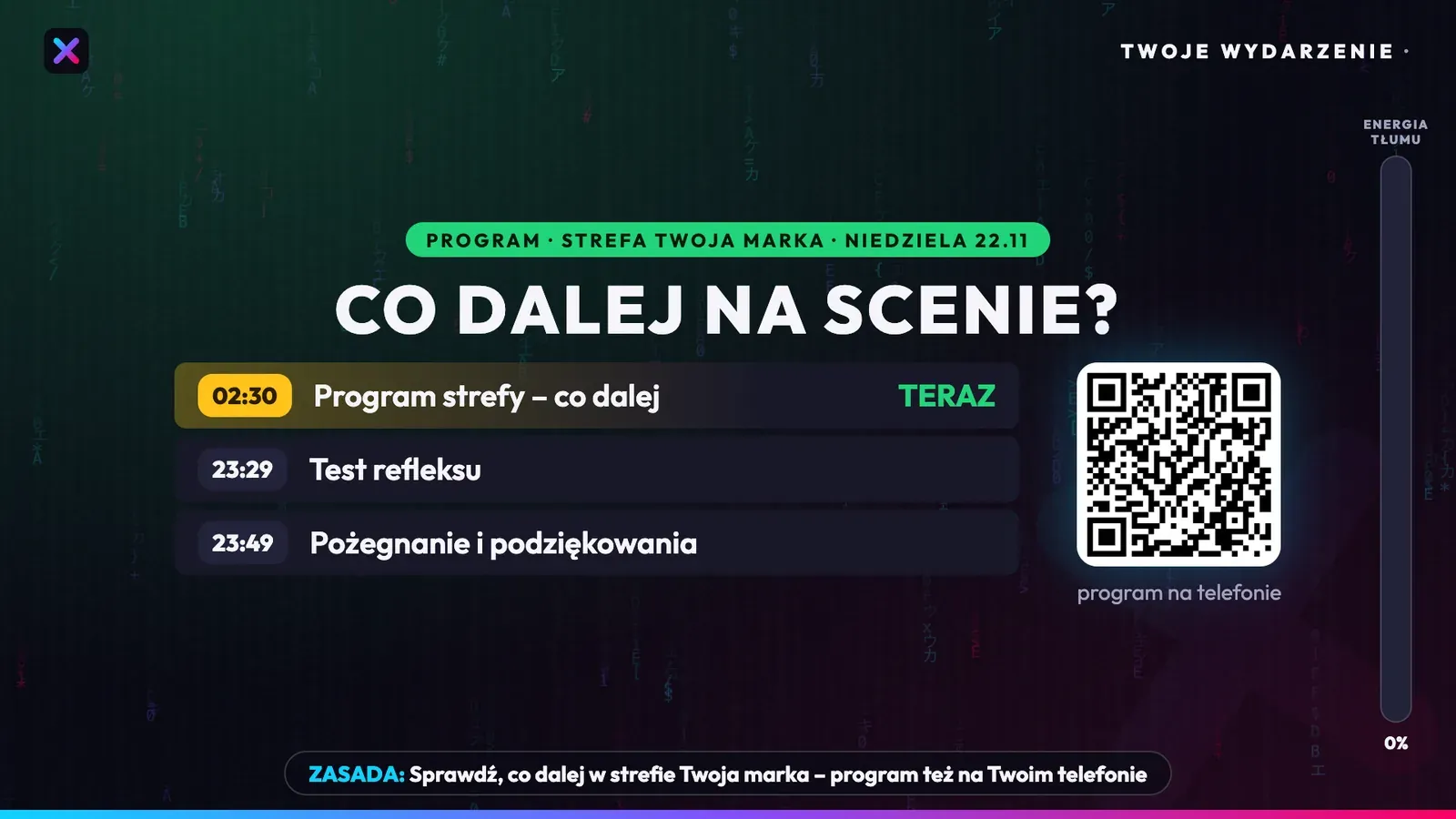
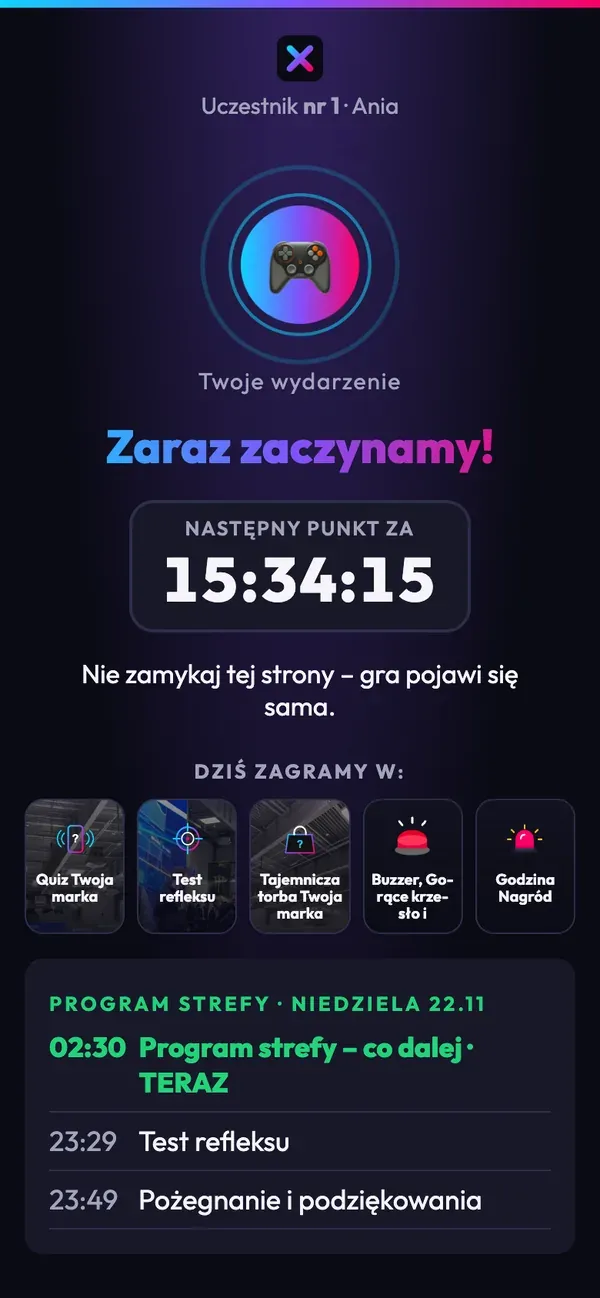
The crew uploads the day’s agenda from an Excel sheet (CSV file). Between games the LED screen shows what is on now and what is coming up, and guests have the same agenda on the phone they play on. That way they know when to come back to the stage for a quiz or the final, and the host can announce the next item in one sentence.
Hosting modules are part of Impact. The host starts them with one click between games, and the host window suggests what to say.
How it works, step by step
The crew uploads the agenda as a CSV file in the panel.
Between games the host shows the agenda on the screen.
Guests also see the next agenda items on their phones.
The host announces the next item and the prizes.
Which events it suits
- Trade show booth
- Conference
- Outdoor event or fair
- Gala
We adapt names, texts and graphics to your brand.
Equipment and timing
- Time
- between games
- Who takes part
- all guests
- Equipment
- LED screen, guests' phones, agenda in an Excel sheet
- Type
- event hosting module
FAQ
- Can the agenda be changed during the event?
- Yes. The crew uploads a new file in the panel, and the screen and phones show the new version.
- How do we prepare the agenda?
- A spreadsheet with the start time, end time and name of each agenda item is enough. The crew saves it as CSV and uploads it in the panel.
- Do we need to install anything?
- No. The screen runs in a web browser on the computer connected to the LED wall, and guests use the browser on their phones.
Other hosting modules
- Up for grabs todayA prize board with a counter of items left. Prizes go to the best players, not the luckiest.
- Speaker introductionName, role and talk topic on the screen, plus walk-on music at the click of a button.
- Star rating for talksA thank-you on the screen and a 1–5 star rating on phones. The average goes into the report.
Ask about this module
Tell me what kind of event it is, when and where it takes place and how many guests you expect. I will reply with how to use Agenda on the screen and on phones at your event. Prefer to talk? Call: +48 535 515 100.